Appearance
🚀 Getting Started: Account & Vault Setup
Welcome to My Recovery Toolkit (MRT). We believe that the hardest work you do should be done in the safest place possible.
The Onboarding Journey
When you first create an account, MRT requires you to set up your basic identity profile.
- Create Account: Use Email/Password or Google Sign-In.
- Profile Setup: You will be automatically redirected to your Profile. You must enter your Display Name and your Sobriety Date to continue. (The app uses your Sobriety Date to calculate milestones and gamification XP).
- Save: Click "Complete Setup" to unlock My Dashboard.
🔒 Securing Your Vault
MRT uses Zero-Knowledge Encryption. This means your journals and workbook answers are mathematically scrambled on your device before they are sent to the cloud.
- Navigate to My Journal or My Workbooks in the sidebar.
- You will be prompted to create a 4-Digit PIN.
- WARNING: We do not store this PIN. If you forget it, your encrypted data is permanently lost. There is no "Forgot Password" button for the Vault.
💡 Pro Tip: Your PIN is temporarily cached in your browser while the app is open so you don't have to type it on every page. Clicking "Lock Vault" in the sidebar instantly clears it from memory.
📶 A note on connectivity: The first time you unlock your Vault in a browsing session, MRT briefly checks in with our servers to guard against PIN-guessing — this needs a connection. Every unlock after that (until you lock the Vault or close the tab) stays fully offline, same as before. If you enter the wrong PIN too many times in a row, the Vault temporarily locks you out for a short cooldown before you can try again — this protects your data even if our database were ever breached.
🔄 Managing Your Vault
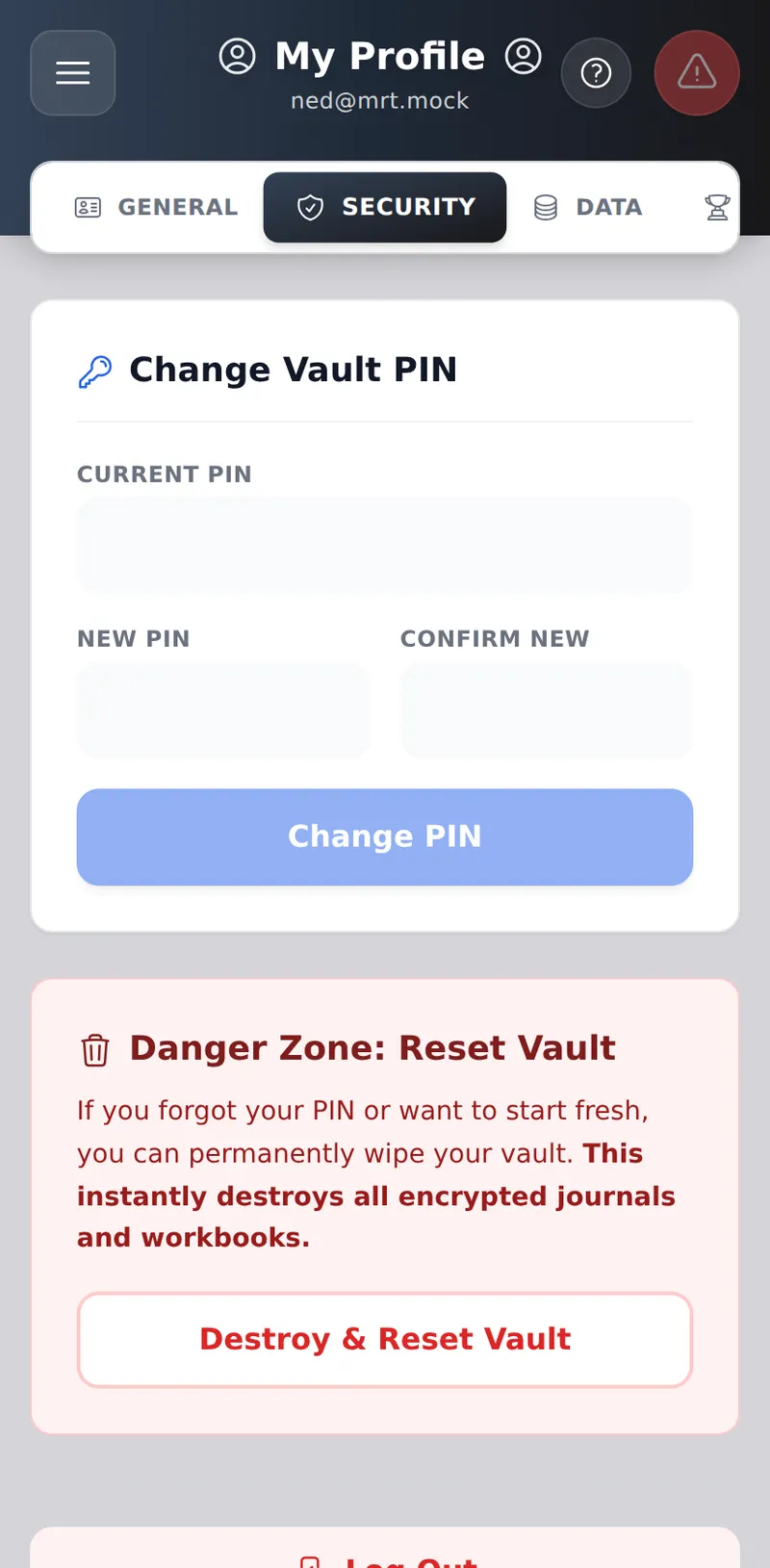
If you need to update your security settings, navigate to Profile -> Security.
- Change PIN: If you know your current PIN, you can change it here. The app will securely re-encrypt all your historical journals and workbooks with the new PIN in the background. Please do not close the app while the progress bar is running.
- Reset Vault: If you forgot your PIN, your data is mathematically unrecoverable. You can use the Reset Vault option to permanently destroy your old encrypted data and set up a brand new Vault.