Appearance
📚 My Workbooks
Workbooks are interactive, structured guides for working through clinical curricula like CBT, 12-Step recovery, and secular/Buddhist Recovery Dharma steps.
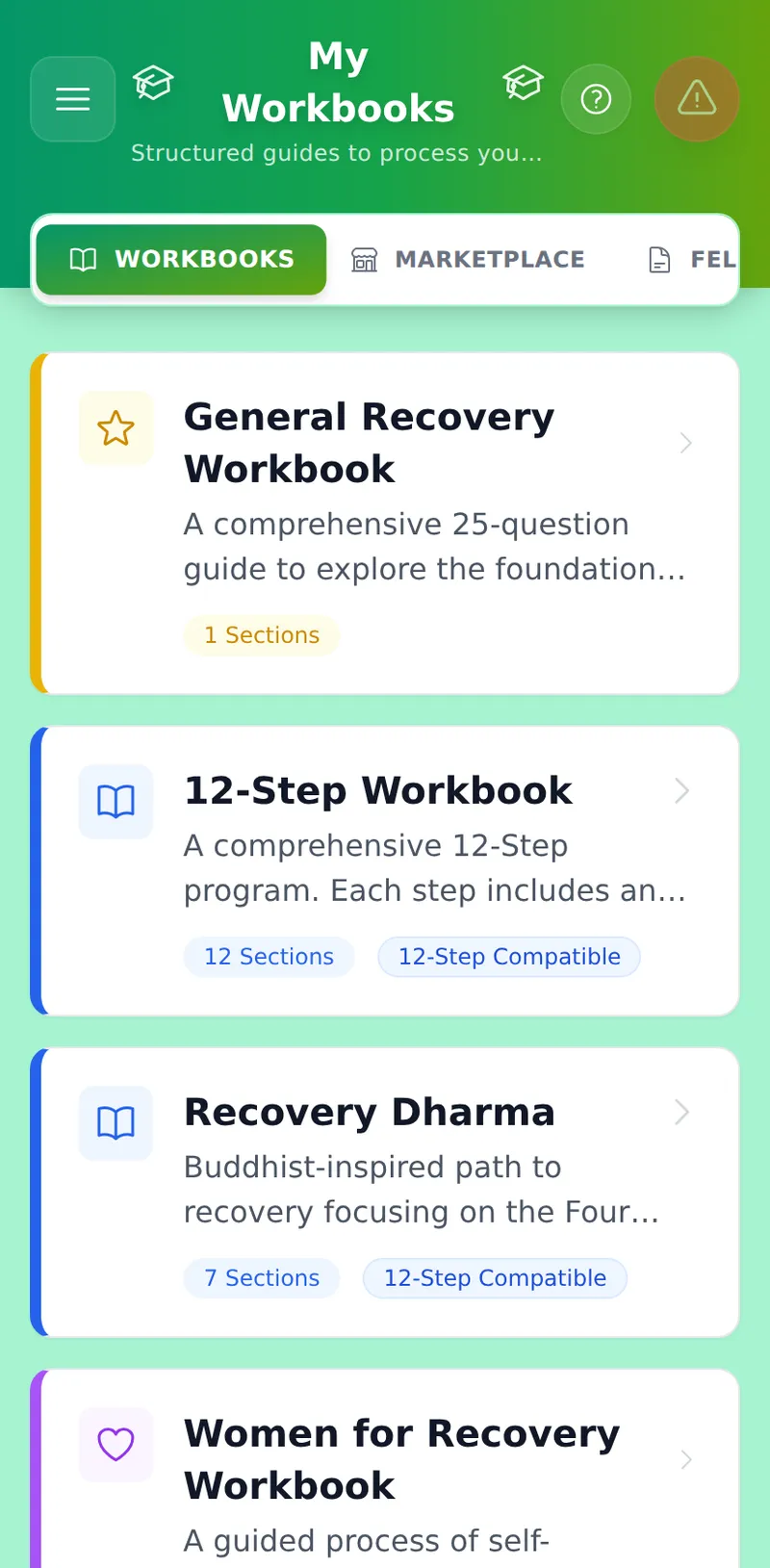
The Workbooks module is your centralized hub for structured, deep-dive recovery literature (like the 12-Steps, Recovery Dharma, and Women for Recovery). All answers are Zero-Knowledge Encrypted.
The Workbooks Hub
When you open the Workbooks page, you will see three tabs:
- Workbooks: Interactive step-work, cognitive behavioral therapy (CBT) exercises, and specialty paths — this tab only shows the workbooks currently in your library.
- Marketplace: Browse the full catalog of official workbooks and add or remove them from your library with one tap. Removing a workbook only hides it here — your saved answers are kept, and reappear if you add it back.
- Fellowships: A resources directory with direct links to official websites and core literature for AA, NA, SMART Recovery, Recovery Dharma, and other programs.
Zen Mode & Auto-Save
- When you open a section, the app enters a distraction-free reading mode.
- The interface is optimized for mobile devices; the question will always stay pinned to the top of your screen even when your keyboard is open.
- As you type your answers, look at the top right of the screen. The app Auto-Saves and encrypts your work every 2 seconds.
The Insight Engine
Stuck on a tough question (like Step 4 resentments)? Type your initial thoughts, then click the "AI Insight" button in the sticky toolbar. The Insight Engine will provide gentle, instantaneous reflection to help you dig deeper.
Asking the Compass
From the main Workbook menu, click the floating "Consult Compass" button.
- Select a specific section (e.g., Step 1), or the entire workbook.
- The AI will decrypt your answers in-memory, analyze them, and generate a comprehensive Wisdom Report highlighting your Strengths, Blind Spots, and a 3-step Action Plan.
- Click the
+icon next to any Action Plan item to instantly add it to your Tasks ledger!